


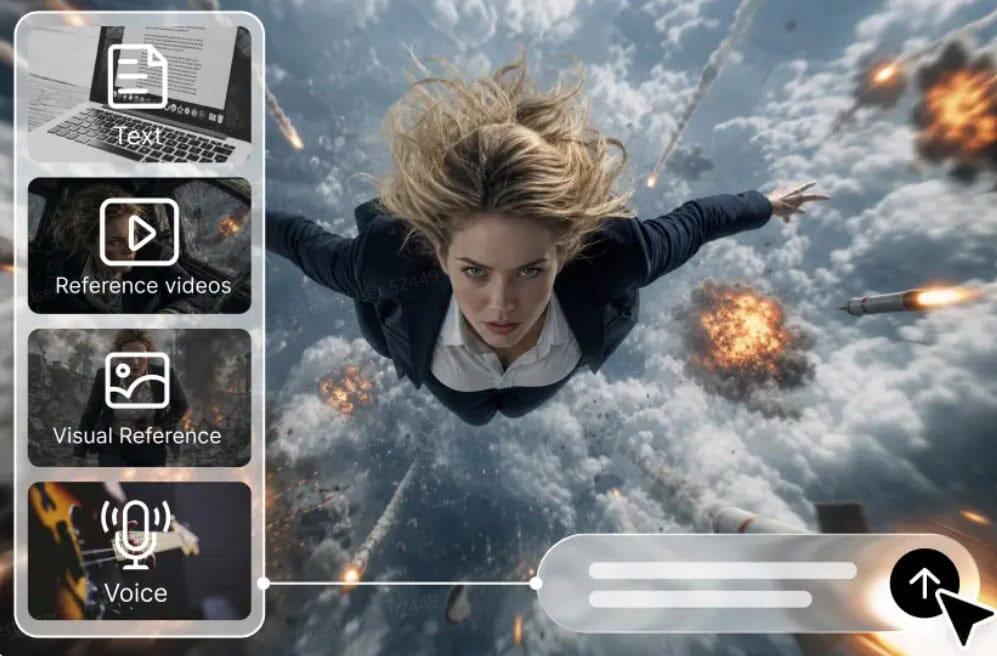
Text alone can be problematic for learners when lessons require abstract relationships or complex processes. Use visual demonstrations to relate terminology to the action, environment, and meaningful comparisons. Dreamina AI can assist in creating video scenes to support educational explanations from written prompts. Video generation tools can visualize scientific processes, technical concepts, and everyday examples without the need for original video footage. But good educational videos require more than pretty pictures. All creative decisions should be based on clear learning objectives, logical sequencing, and verified information.
Identify What an Explainer Video Needs to Teach
Prior to using text to video, determine what viewers should know after viewing the lesson. Break up large topics into stages, relationships, or individual questions. Determine what ideas need to be demonstrated, diagrammed, animated conceptually, or illustrated with the environment. Next, select realistic images for the observable processes and stylized images for the abstract relationships. Differentiate between visual metaphors and literal representations, especially in the context of describing scientific mechanisms. Set up scenes in a logical order so that each explanation builds up to the next. Dreamina AI is capable of visualizing this plan, but trustworthy research and instructional design are needed to lay the factual groundwork for the lesson.
Match Visual Techniques to Different Types of Lessons
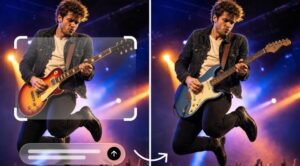
The visual approach to learning is different in various subjects according to their learning goals. Weather systems, ecosystems, and geological changes are examples of phenomena that cannot be easily recorded directly, but can be illustrated in science lessons. Technical explainers can illustrate machinery, digital workflows, or system functions, as long as they are verified by experts. While the scenes generated by historical reconstruction do not represent historical evidence per se, they can provide cultural context. Carefully explained visual metaphors are used for abstract concepts such as energy transfer and probability. Conversational situations can be depicted in language lessons, and procedures and safety rules can be introduced during training at the workplace. Dreamina AI provides illustrative content; creators need to verify all key assertions.
How to build explainer clips with Dreamina’s AI text-to-video maker
Step 1: Open Dreamina AI and script your lesson prompt
1. Sign up or log in to Dreamina to begin turning your lessons into visual clips.
2. Head to the “Create” tab in the left menu and pick the “AI video” option.
3. Type a detailed text prompt describing exactly how your explainer clip should look and feel. Add details on video elements, sound, background, theme, and concept to guide the whole lesson.
Step 2: Pick a model and tune the lesson settings
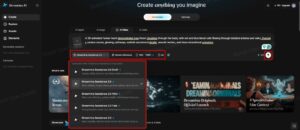
1. Next, choose a model from the options waiting at the bottom of the dialogue box.
2. Pick from models such as Dreamina Seedance 2.5, Dreamina Seedance 2.0, Dreamina Seedance 2.0 Fast, Dreamina Seedance 2.0 Mini, Dreamina Seedance 1.0, etc.
3. Click on “Omni reference” to guide the AI with multiple reference images for accurate visuals.
4. Select the custom aspect ratio and resolution from the “Aspect ratio” and “Resolution” tabs below.
5. Finally, click on the “Generate” tab to begin creating your animated explainer clip right away.
Step 3: Polish the lesson and export it
1. If you dislike the results, you can “Edit prompt” or “Regenerate” to refine the explanation.
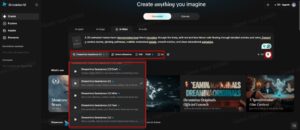
2. You can also edit the generated video using the “Edit video” option for quick tweaks.
3. Moreover, you can use “Edit segment” to edit only one part of the lesson video.
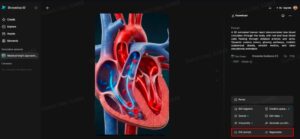
4. Use “Extend video” to lengthen your clip, or choose “Creative upscale” to improve its quality.
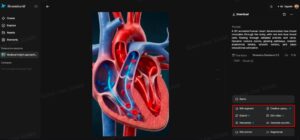
5. Dreamina gives you complete freedom to shape your explainer clip exactly the way you like.
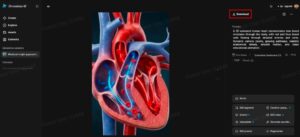
6. Finally, click on the “Download” tab that sits at the top right of the interface. This saves the finished video file on your local device so you can share it.
Six Visual Teaching Techniques That Make Explanations Easier to Follow
Select visual strategies based on concept, not effects. These strategies can help create meaningful and comprehensible educational scenes:
– Process Demonstration: Show steps in logical order, emphasizing important transitions between steps.
– Scale Comparison: Relate objects or systems to each other and convey the differences in size, proportion, or relative magnitude.
– Everyday Analogy: Present a new idea by using a familiar context before moving on to the technical aspects.
– Cause and Effect Sequence: Demonstrate an action and the resulting observable effects, confirming the cause and effect.
– Environmental Context: Put a concept in a familiar context to make it real.
– Recap Visual: End with a brief scene that emphasizes the lesson’s key concept.
Dreamina AI can create scenes for such approaches, and narration and labels can explain things that images don’t convey.
Combine Generated Scenes With Narration, Labels, and Instructional Structure
Footage created is more effective if it can be used to illustrate a particular learning point in each scene. Compose narration before visuals are finalized and then match visuals to narration. Voiceovers and captions, diagrams, and transitions can be synced from external editing software. Break up longer lessons into smaller chunks with one clear purpose for each chunk. Dreamina AI can be used for creating individual scenes, and script-to-video workflows can be employed to craft more intricate and multi-scene narratives. Include key labels and terms independently – generated text may have mistakes. Carefully consider pacing, avoiding any visual movement that is competing with the spoken explanation.
Protect Educational Accuracy When Using AI-Generated Visuals
Educational creators are responsible for reviewing the created scenes prior to lesson sharing. Check scientific explanations, ratios, and procedures with trusted educational resources. Clearly differentiate between illustrative and real historical materials in historical reconstructions. Do not rely on demonstrations generated by others for medical, industrial, or hazardous applications. Check for inconsistencies or discrepancies in ambiguous movements or adjacent scenes, such as changed objects or visual relationships. Use readable labels, accurate captions, and clear narration to enhance accessibility. While Dreamina AI can help with visualization, it is the teacher’s duty to ensure accuracy and proper instructional context.
Conclusion
Dreamina AI facilitates the translation of text-based explanations into visual scenes in science, technical instructions, language learning, and workplace education. There is a difference between the effective results and the poorly-focused ones: good results start with clear goals, appropriate visual metaphors, and a sequence of demonstrations. The material generated is more reliable thanks to refinement, precise narration, user-friendly captions, and independent fact-checking. The most complex explainer video doesn’t have to be the best. The true power of the book is in explaining complex subjects in an understandable way without compromising the clarity or accuracy.